Ship to your iPhone from anywhere.
Prompt Claude Code from your phone, run the build on your Mac, and install the fresh app on your iPhone in seconds. All over your own Tailscale network.
iPhone on iOS 26+ · Mac with Xcode and Claude Code · Tailscale on both
 From your iPhone
Build on your Mac. Install on your iPhone. Anywhere.
The whole loop runs from your phone. Ask for a change, let Claude Code make it, run the build and put the fresh app on your iPhone, without going near your desk.
- 01
Prompt
Type, dictate or snap the bug from your phone.
Add a weekly streak strip to the widgetSent from the train - 02
Claude edits
Claude Code changes the code on your Mac.
- Text("\(streak) days")+ WeekStrip(days: entry.last7)+ .padding(.top, 6) - 03
Build
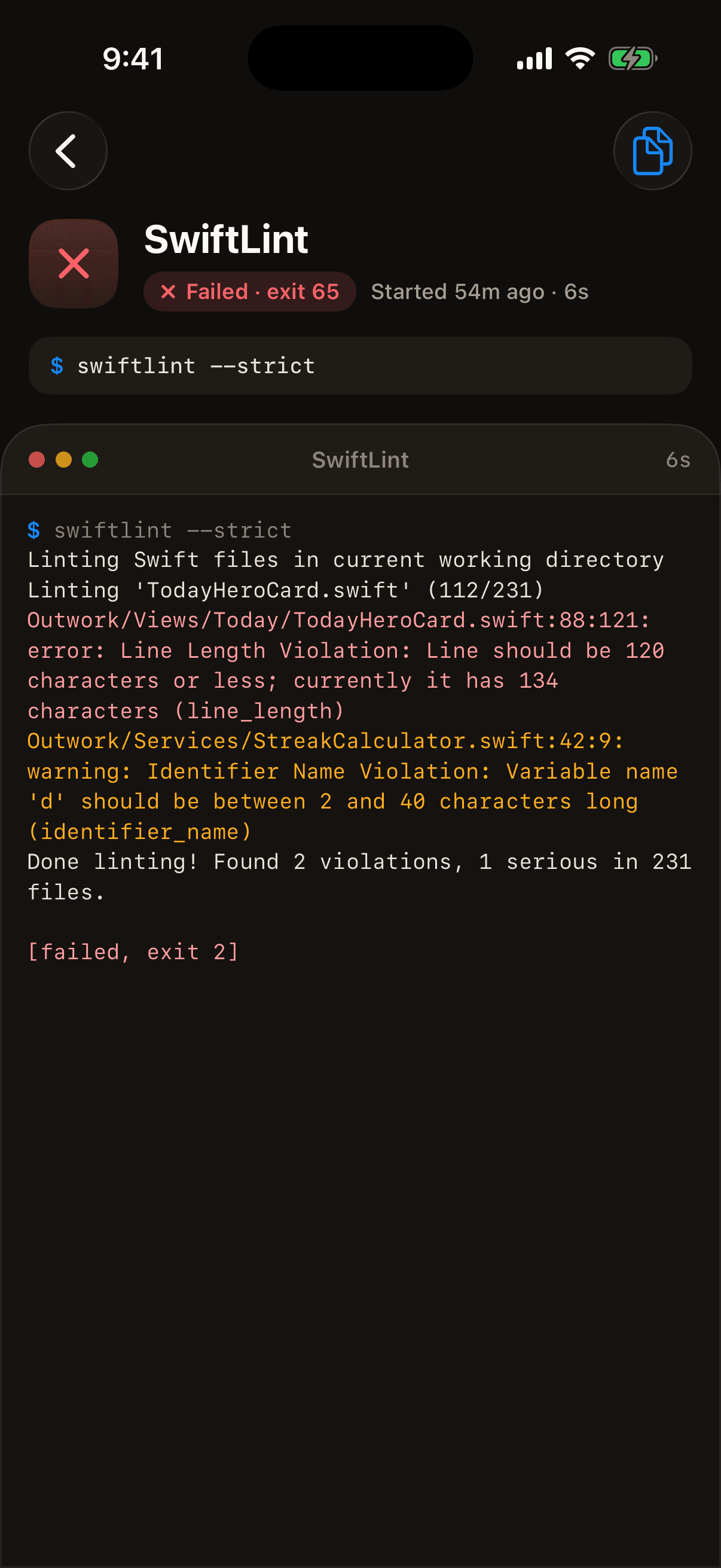
Tap your build command. Watch it compile live.
$ ./run ota** BUILD SUCCEEDED **OUTCODE_ARTIFACT=…/Outwork.app - 04
Install
Tap Install. The build streams over your tailnet.
Outwork 1.1.0Downloading… - 05
Open
Try the real thing on the phone in your hand.
OutworkInstalled · build 66Open
Cable + Xcode
- At your desk, phone plugged in
- Build time
- Pick the device, hit Run
TestFlight
- Anywhere
- Archive, upload, then wait for processing
- New build number every time, App Store Connect
Outcode
From your phone- Anywhere your phone has a connection
- Build time, then a few seconds to install
- Tap Install, then Open. That’s it.
One line in your build script.
Have the command print where the app ended up. When it succeeds, the phone shows an Install button. Outcode packages the signed build, serves it on a private one-hour link and hands it to iOS.
A development build for your iPhone
Signed with a profile that includes the phone. Xcode’s automatic signing does that once the phone is registered to your team.
HTTPS, once
iOS only installs from a trusted HTTPS link. Run
outcode httpsone time and Tailscale handles the certificate.Tailscale on both devices
Any network works: home, office, café, roaming. The link only answers inside your tailnet and expires after an hour.
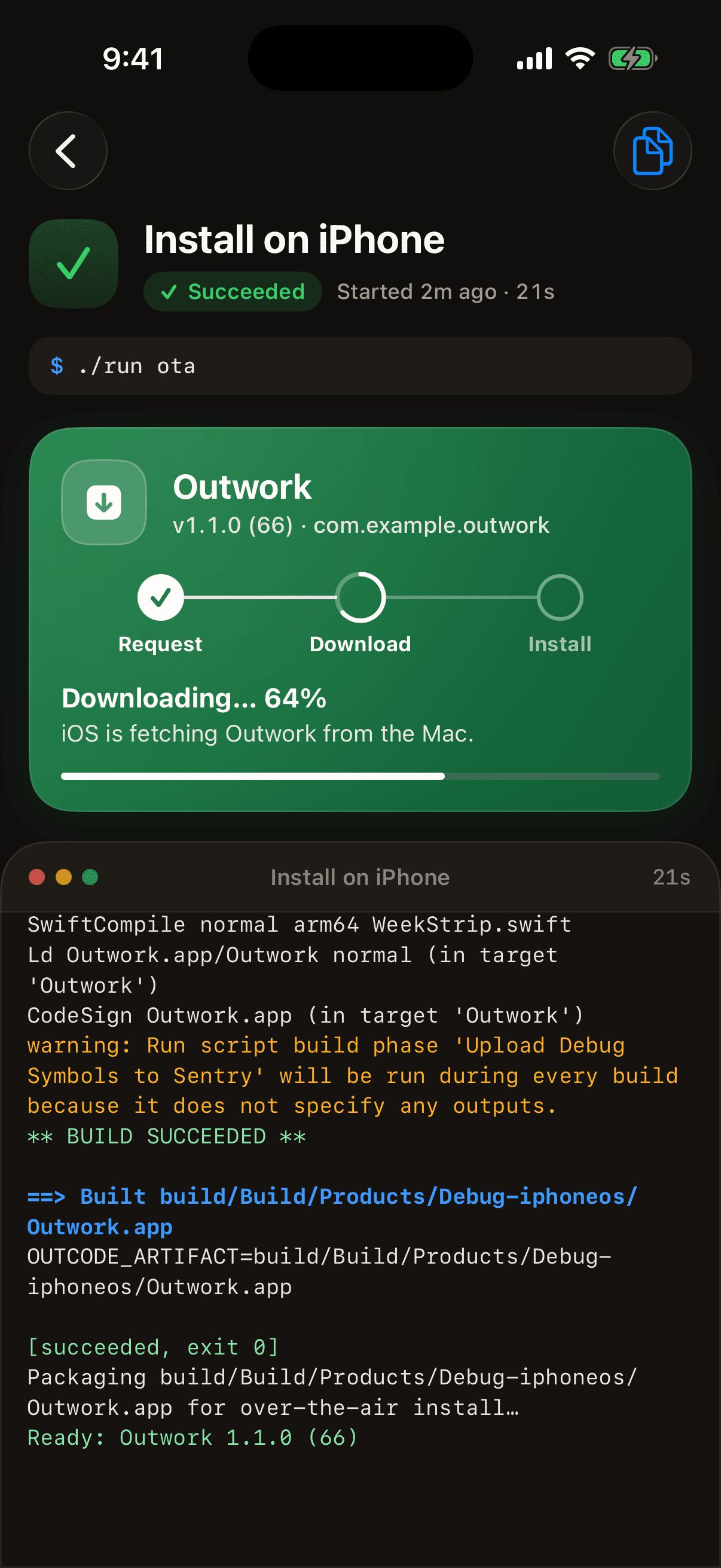
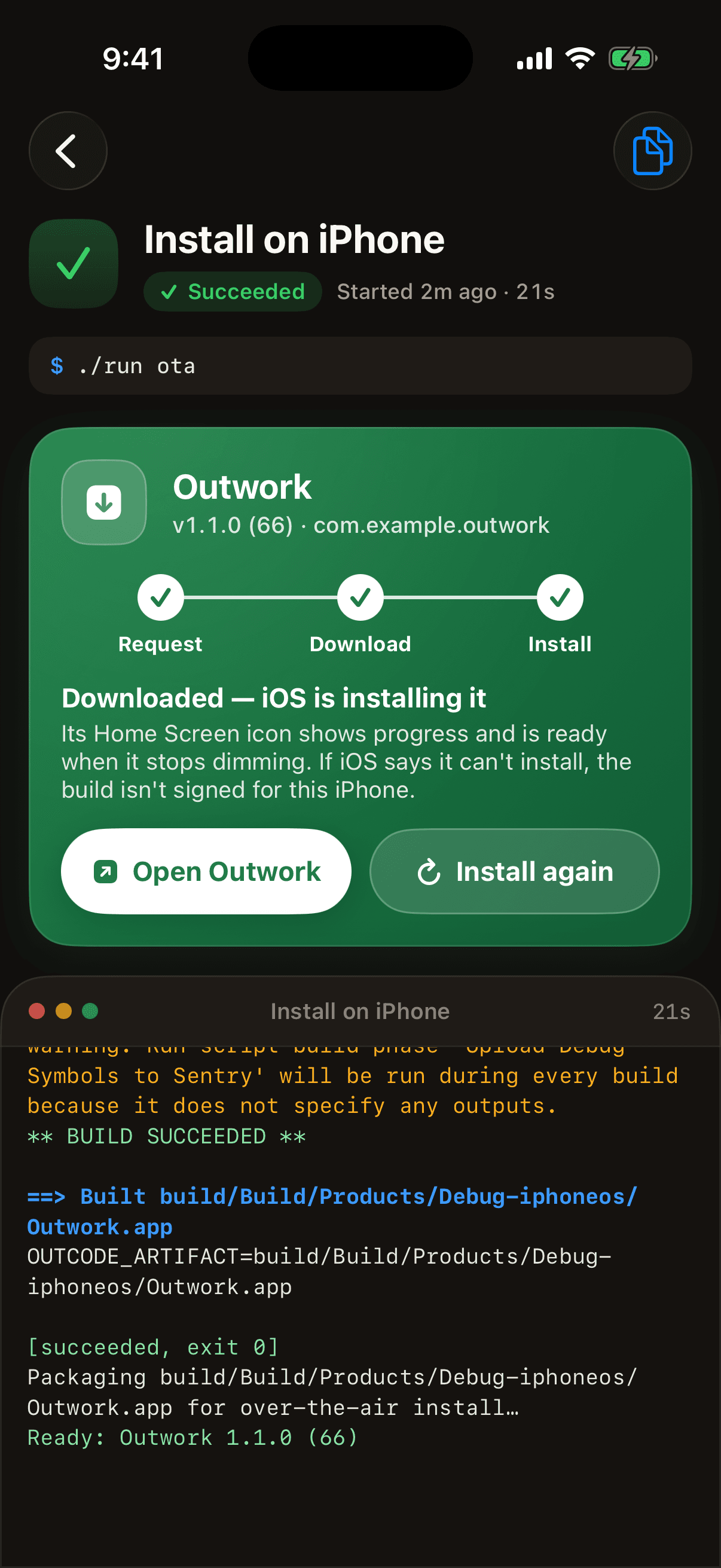
Run the build from your phone.
Every project gets a command panel, listed in outcode.json. The project’s setup on your phone fills it from your scripts. Tap to build, test or install, watch the output stream in, cancel when it goes sideways. A push tells you when it’s done.
outcode.jsonyour list of commandsSet upsuggests your scripts/*.shpackage.jsonnpm scripts too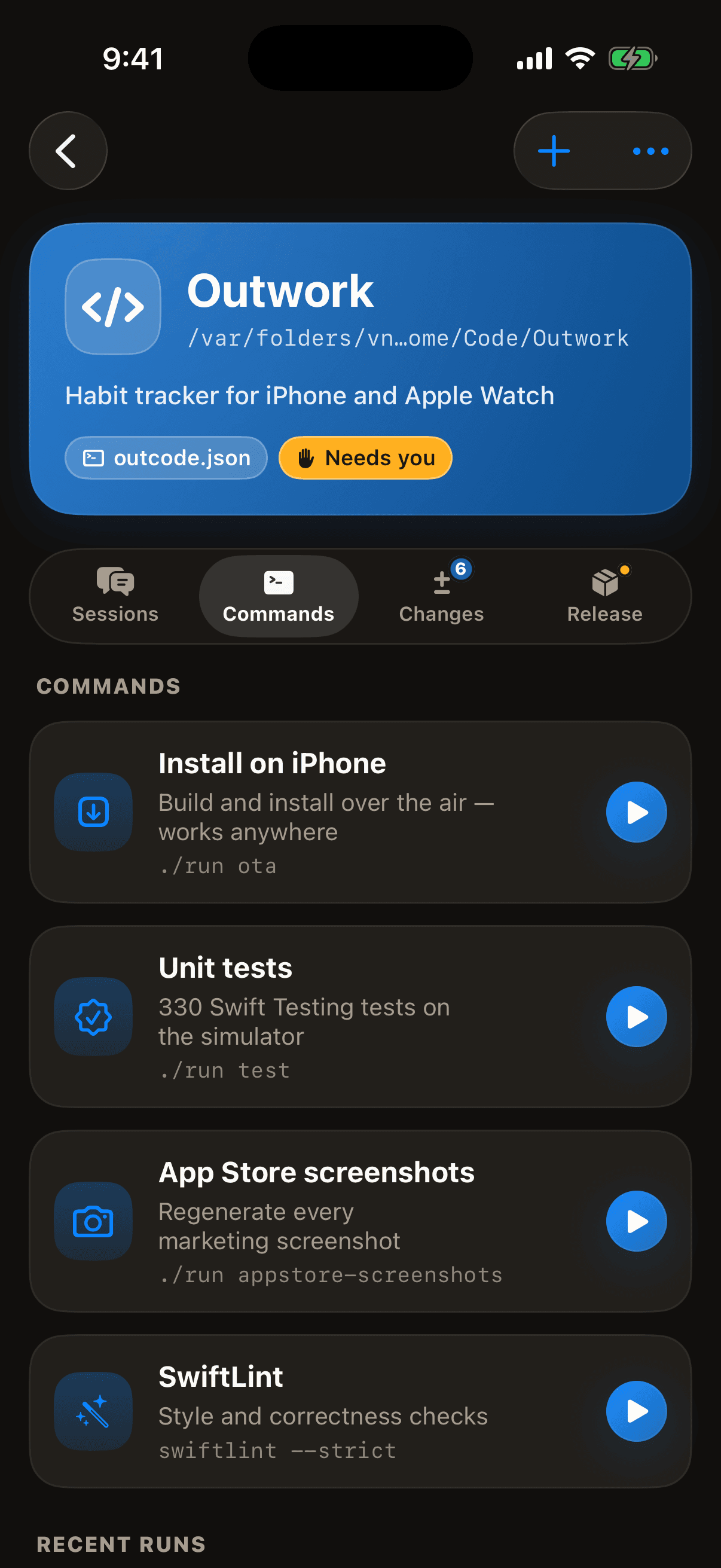
Set up in a minute.
No accounts, no cloud relay, no port forwarding. Your Mac builds and runs Claude Code, your phone holds the controls.
- $ npm i -g outcode$ cd ~/Developer/outwork$ outcode$ outcode https # once, for installs>_ outcode ready on your tailnet1
Run outcode on your Mac
Install the CLI and run it in your app’s folder. It starts the daemon, adds the project and prints a pairing code. outcode https turns on installs.
- PairedKQ7M-W3XD-9PHTOne use · 10 minutes2
Scan the code
Open the app and scan the QR in your terminal. The code works once, for ten minutes, and only for your own Tailscale user.
- Ready to installOutwork 1.1.0 (66) · tap to installMacBook ProConnected3
Build and install from anywhere
Prompt Claude, run the build and tap Install. The phone reaches your Mac over Tailscale on any network.
And Claude Code, in your pocket.
The same app drives the Claude Code sessions on your Mac. Start them, steer them, approve what they do and read what they changed, with your own login, settings and CLAUDE.md.
The test races the keychain write. I made save() awaitable and the test now waits for it.
Claude asks. You tap.
Permission prompts, questions and plans land on your phone as cards, with everything you need to decide right there. A push tells you the moment Claude is waiting, so it never sits idle while you’re away.
See the exact command
Bash calls arrive in full, edits as a diff. Allow once, always allow, or deny.
Answer in a tap
When Claude asks which way to go, the options show up as chips.
Approve the plan
Plans render as proper Markdown. Approve them or send them back with a note.
Pick the leash
Ask first, Auto-edit, Plan or Bypass, set per session from the composer.
See the work, not just the chat.
Every tool call, edit and command Claude makes shows up the way you’d want to read it on a phone.
Real diffs, not walls of text
Each Edit renders as a unified diff under its file path. Tap any tool call to see what it read, wrote or ran.
Talk, or show it
Dictate a prompt on a walk. Attach the screenshot of the bug. Claude gets both.
Set up from your phone
outcode init pairs your phone and opens the project's setup there: your scripts, the app's icon and languages, App Store keys, with Claude for the fiddly parts.
Your Mac shows it too
A web dashboard on the Mac mirrors every session live. Start on the phone, finish at the desk, or the other way round.
// Wait for the write before asserting
try await store.signIn("tok_9f2c")
XCTAssertTrue(store.isSignedIn)
XCTAssertEqual(keychain.count, 1)
Code that reads like code
Code blocks get a terminal card, syntax colors and a copy button.
Back to the terminal
Pick up a session you started with claude, or carry one back to your desk.
Your setup, as is
Runs under your normal Claude Code login, with your ~/.claude settings, hooks and each project’s CLAUDE.md.
One command on the Mac.
outcode runs the daemon, prints a pairing code and then a live feed of everything happening from your phone. Run it again in another folder and that project joins the running daemon.
$ outcode initPair your phone and set the project up there$ outcodeStart the daemon$ outcode pairShow a fresh QR to pair a phone$ outcode openOpen the web dashboard on this Mac$ outcode httpsTurn on HTTPS for installs via tailscale serve$ outcode service installKeep it running at login$ outcode devicesList paired phones$ outcode revoke <id>Cut a phone off, instantly
Your code stays on your network.
Outcode is a remote control for a machine that can run anything, so it was built like one.
Tailnet only
The daemon listens on 127.0.0.1 and your Mac’s Tailscale address. Never 0.0.0.0, never the public internet, never your café Wi-Fi.
One-time pairing
A single-use code valid for ten minutes that locks after five wrong tries, and only works for the same Tailscale user as the Mac.
A key per phone
Each phone holds its own 256-bit token in the iOS Keychain. The Mac keeps only a hash. Revoke one and its connection closes on the spot.
No Outcode cloud
No account, no relay, no analytics. Phone and Mac talk directly over WireGuard. Claude talks to Anthropic exactly as it does in your terminal.
Locked-down dashboard
The Mac web UI only answers on loopback, with a strict same-site cookie and origin-checked sockets that stop DNS rebinding.
Install links expire
Over-the-air links are random, HTTPS-only, reachable only inside your tailnet and gone after an hour.
Native, fast, and at home on iOS.
Built in SwiftUI with the same warm, tactile look as its sibling Outwork, in a dark theme made for long sessions.
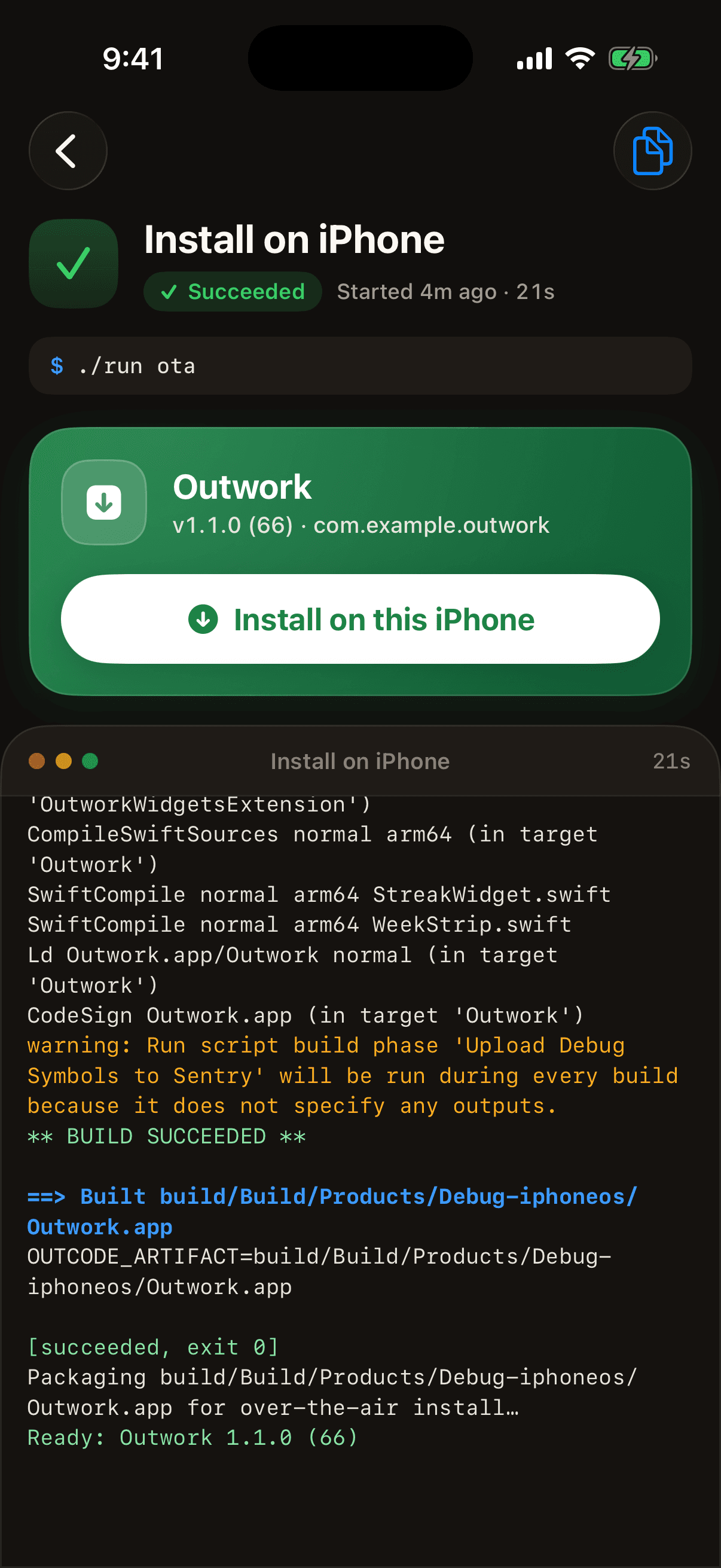
Install from anywhere
Installed in seconds
Your build commands
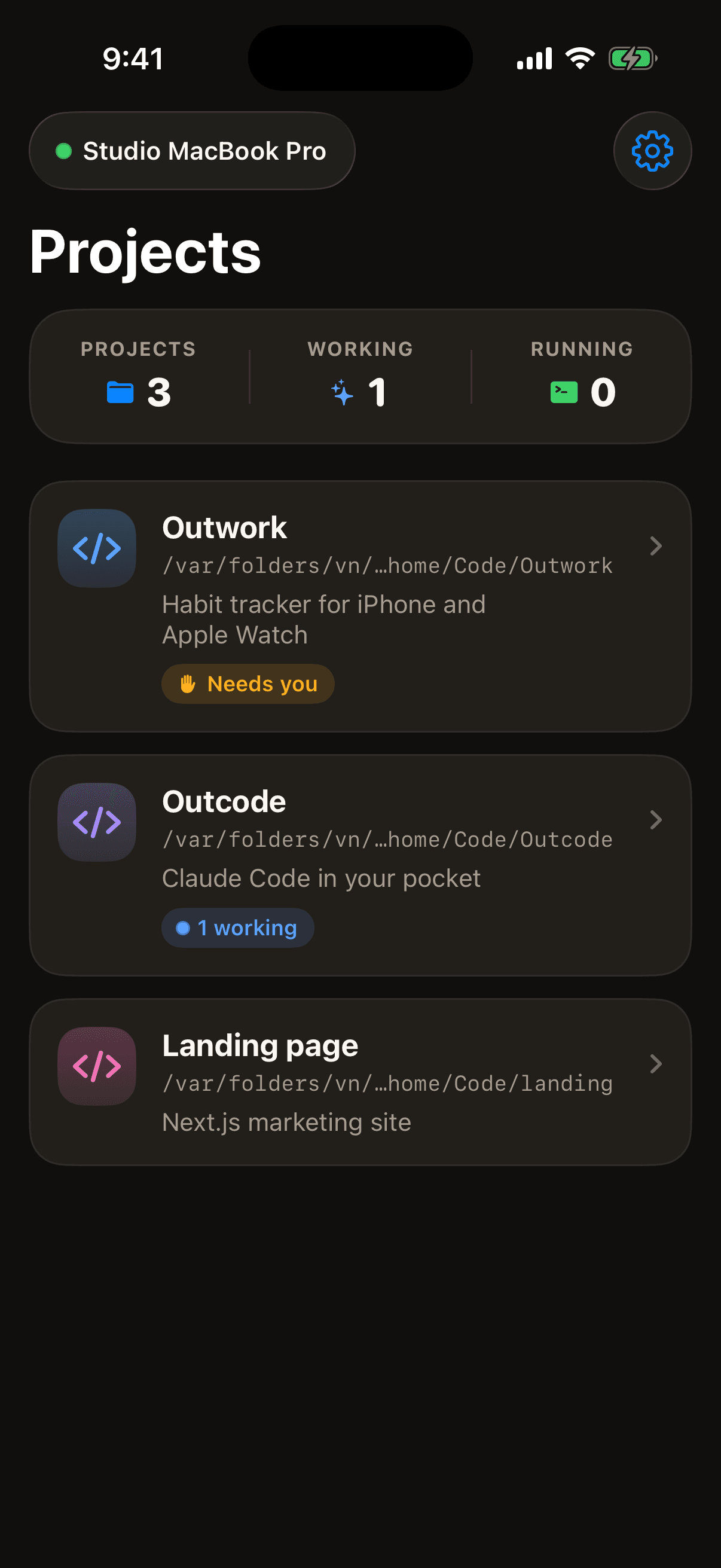
All your projects
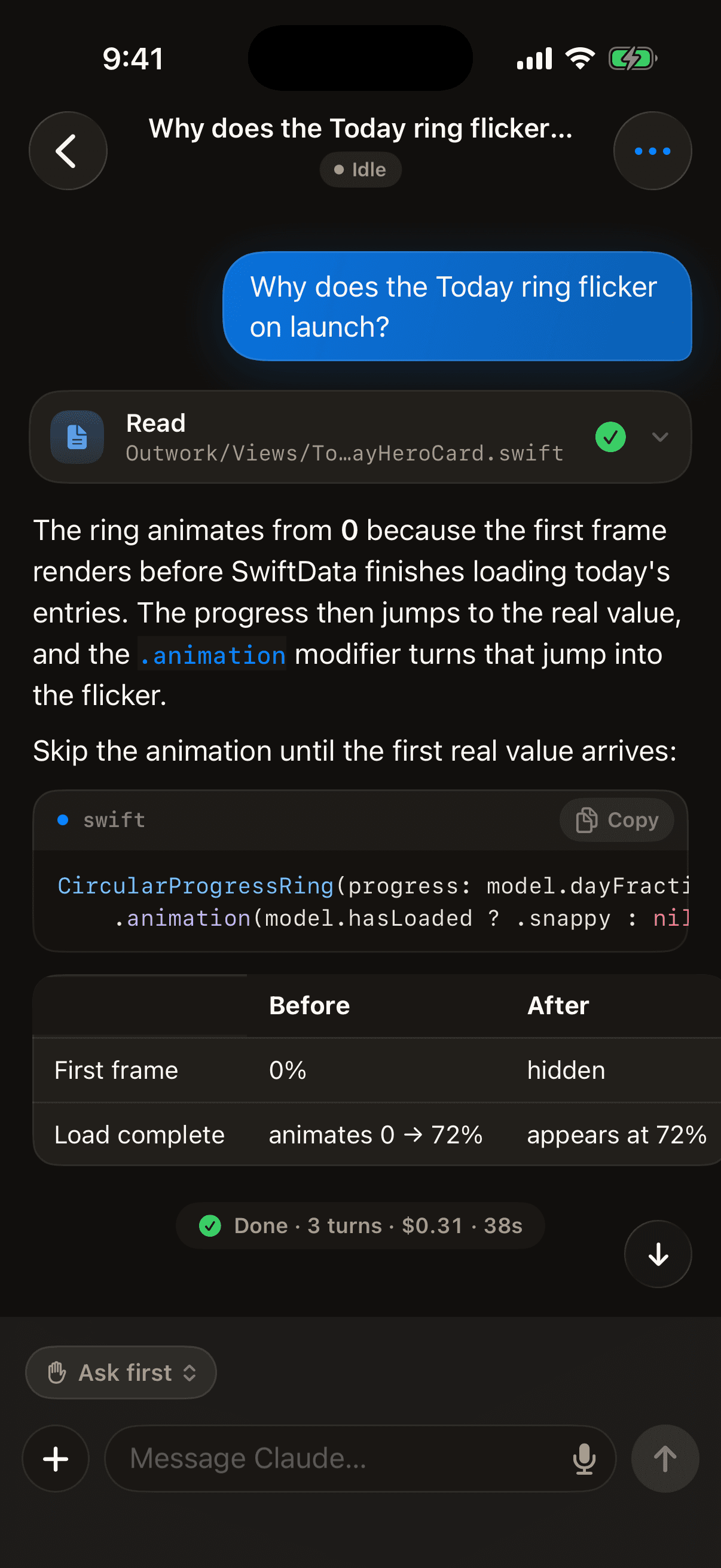
Chat with code
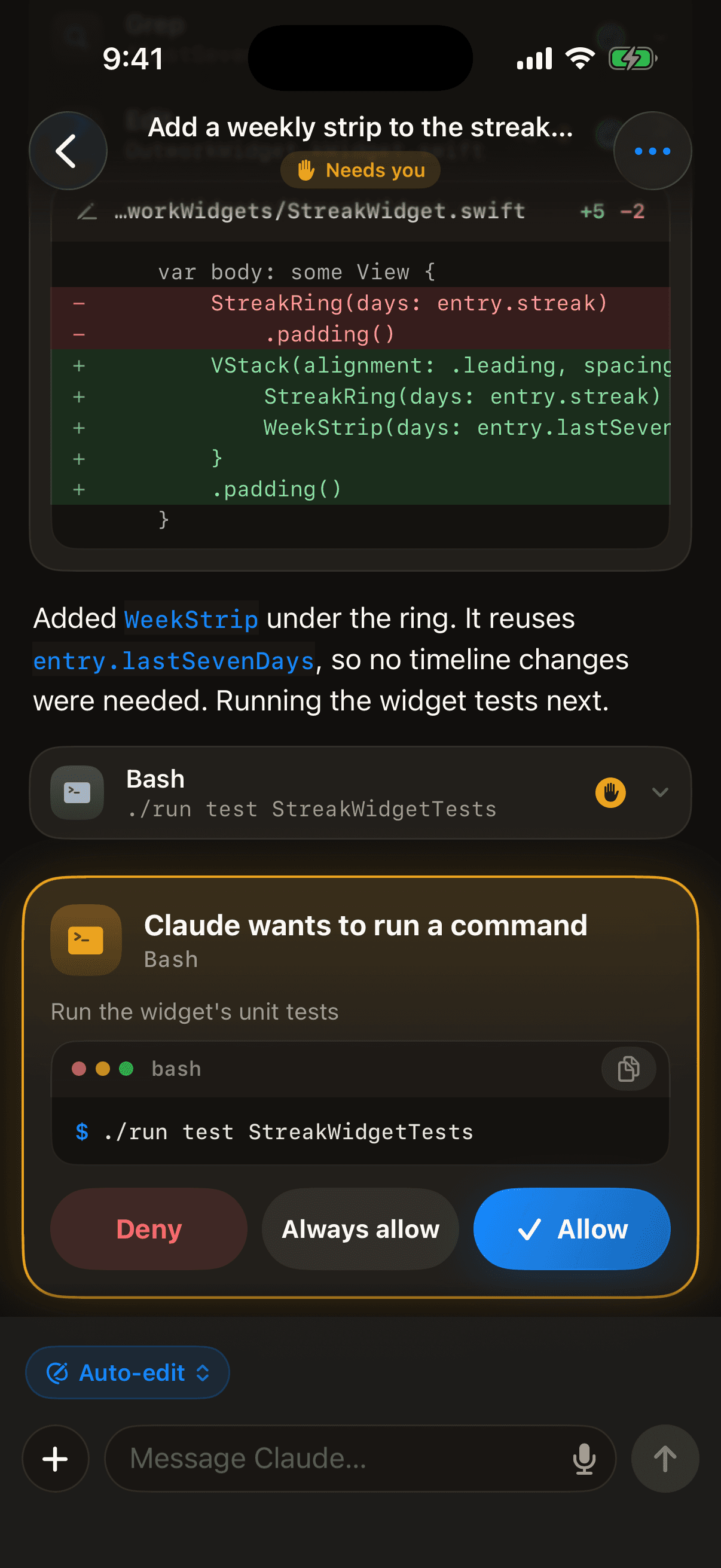
Every tool call
Live output
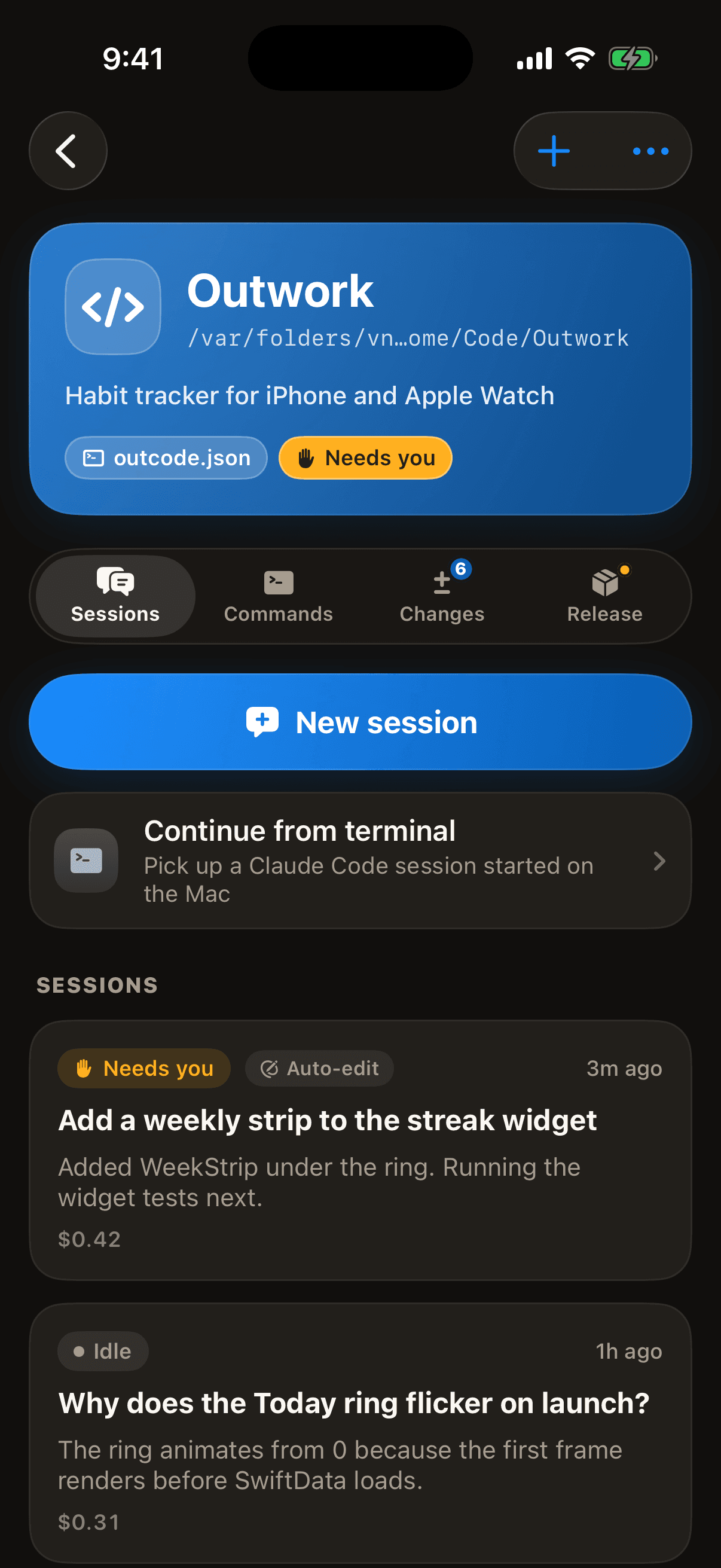
Sessions per project
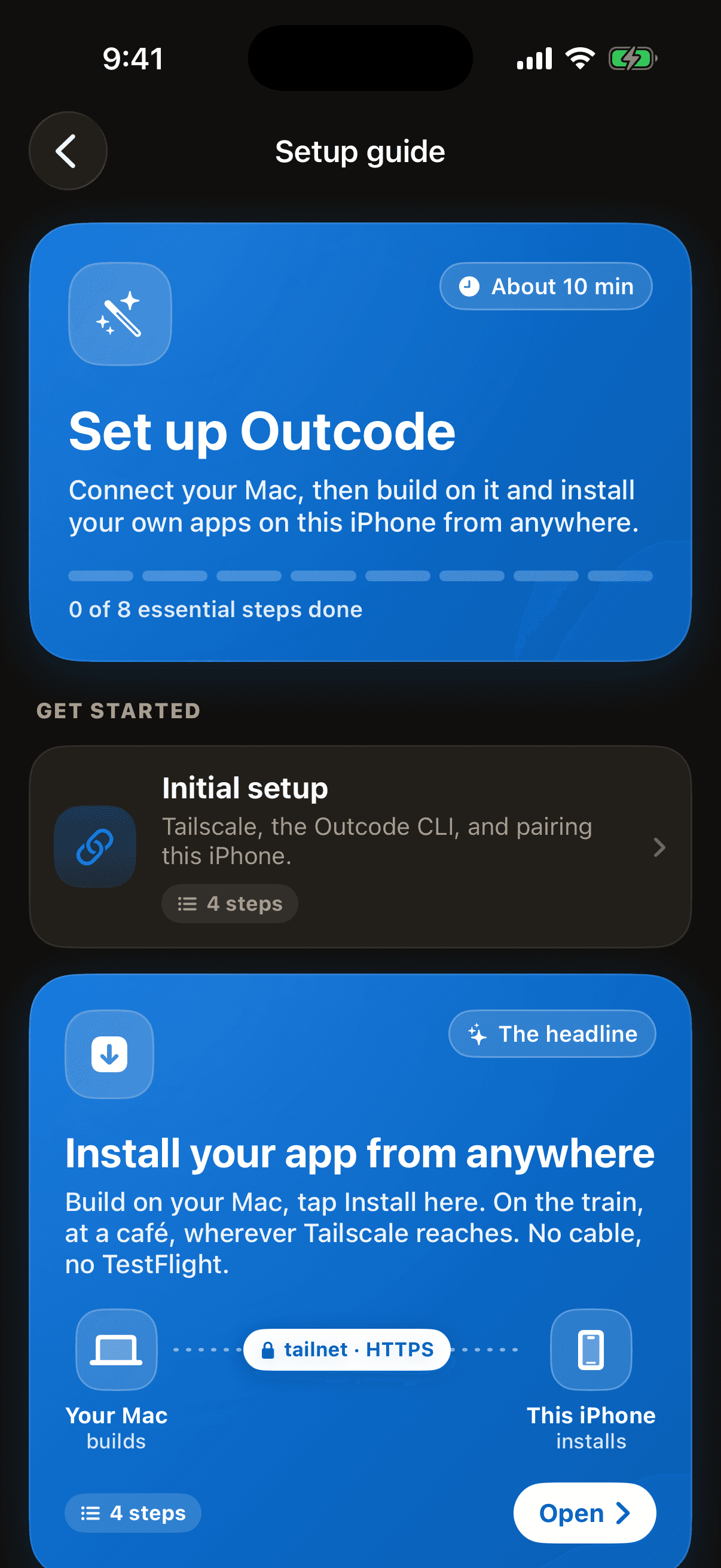
Setup guide built in
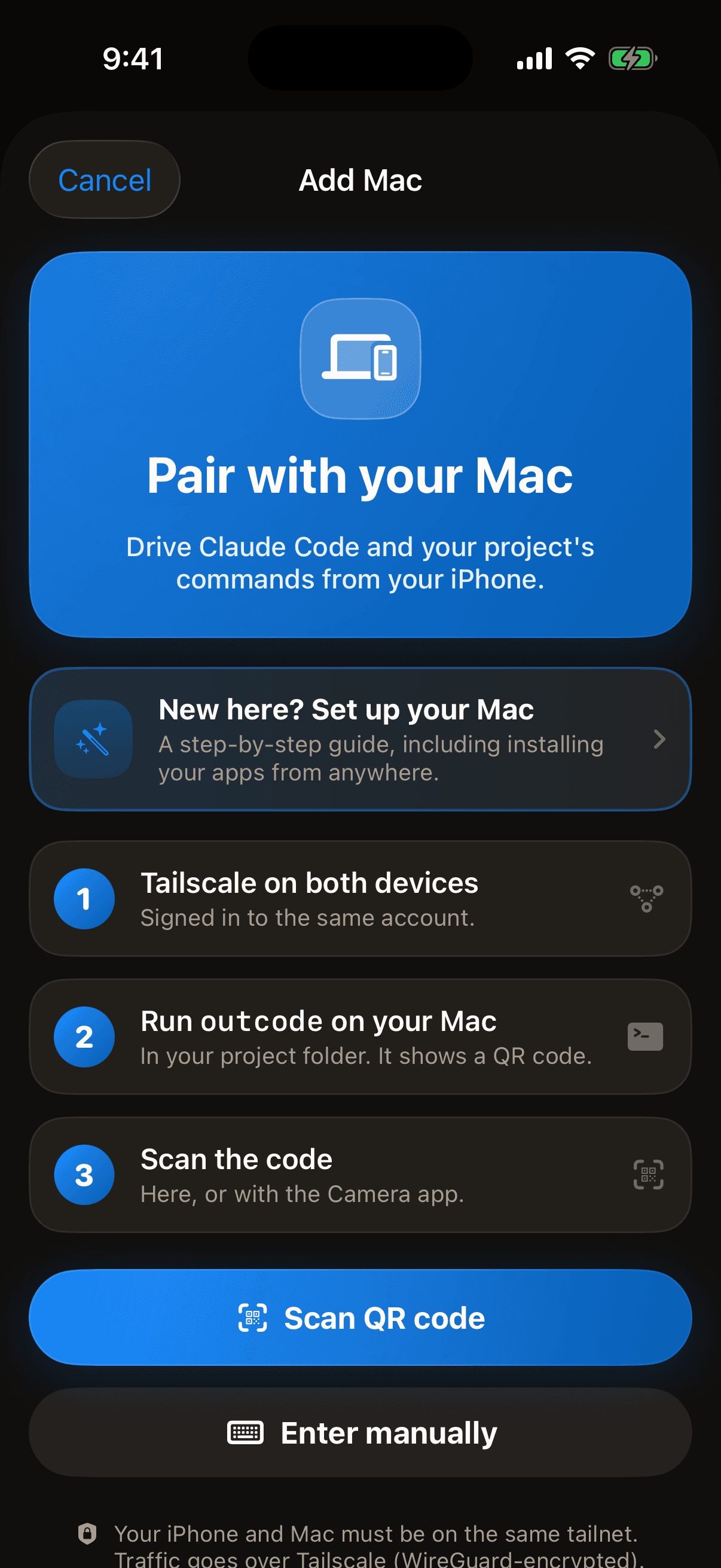
Pair in seconds
Leave the desk. Keep shipping.
Get the app on your iPhone, install the CLI on your Mac, scan once. Your next build lands on your phone, wherever you are.